
Login
No passwords to forget, no accounts left half-made.
How customers sign in: a one-time code by email, or by phone, in AlliDesk's own sign-in window.
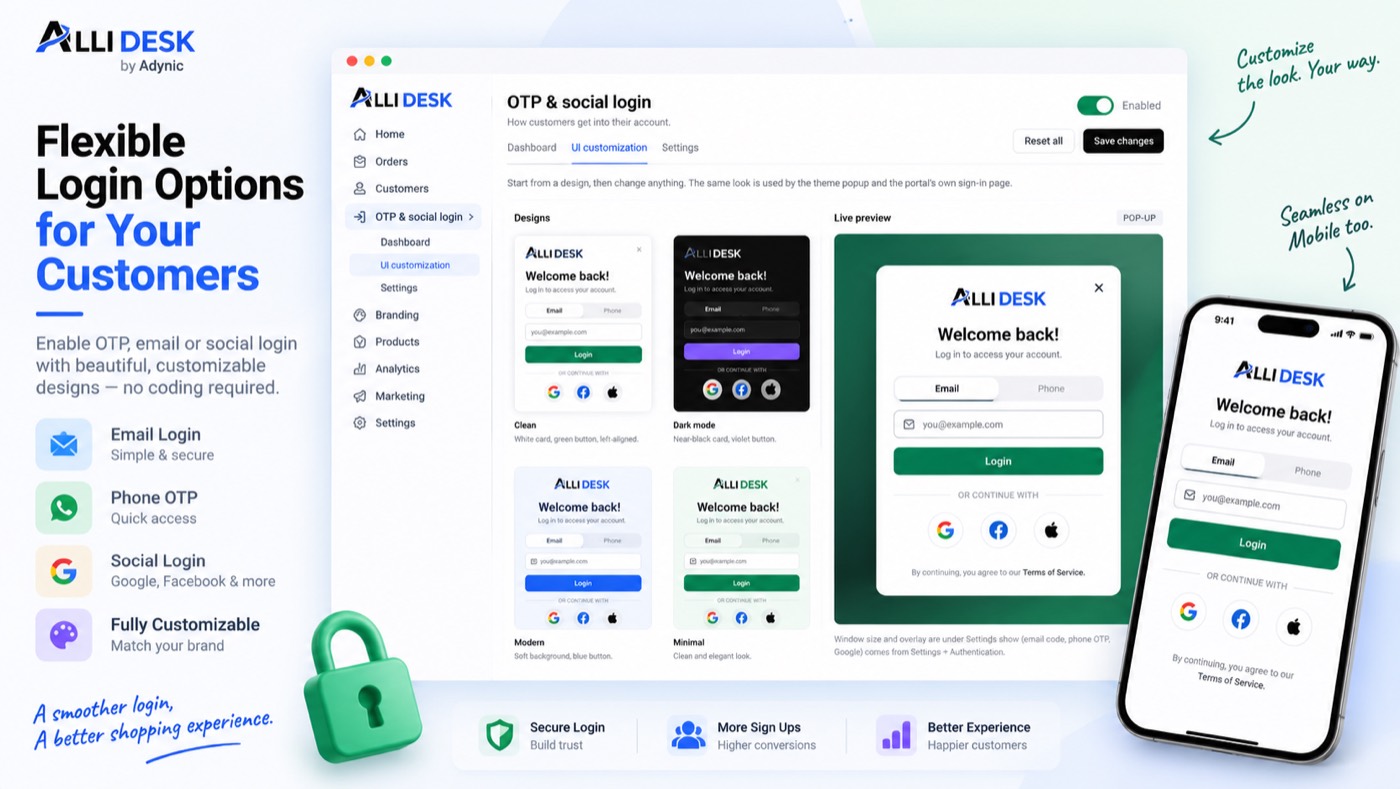
Switching it on
- Switch the module on with the toggle at the top of this page.
- In your Shopify admin open Online Store → Themes → Customize → App embeds, and turn AlliDesk on. Nothing shows on your storefront until you do.
- Open Settings and choose what shoppers may use: an email code, and a phone code if you want it.
- Open UI customization to match the window to your shop, then sign in on your own storefront once to see it.
It is live when: The module is on and the AlliDesk app embed is running on your theme.
What your customer sees
Nothing of ours with our name on it: this module works behind your storefront and your own emails.
Everything on the storefront is a theme block or the app embed, so there is no theme code to edit and nothing to undo if you switch the module off.
Questions merchants ask
What do customers get in their account?
Orders with tracking, cancel and reorder, returns and exchanges, wishlist, points, referrals, reviews, invoices, warranties and saved reels — whichever modules you have on.
How do customers log in?
With a one-time code by email, and by phone number when you switch that on. Stores on Shopify's new customer accounts can keep using Shopify's own login as well; the portal works with either.
Who sends the phone code?
AlliDesk sends it over WhatsApp first, then SMS, with nothing to set up. It works on every plan, Free included.
Can I invite customers who have never signed in?
Yes. Customer accounts → Customers shows who has ordered but never signed in; Invite sends them an email with a link to your own sign-in page.