
Warranty
Every claim in one place, with the proof attached.
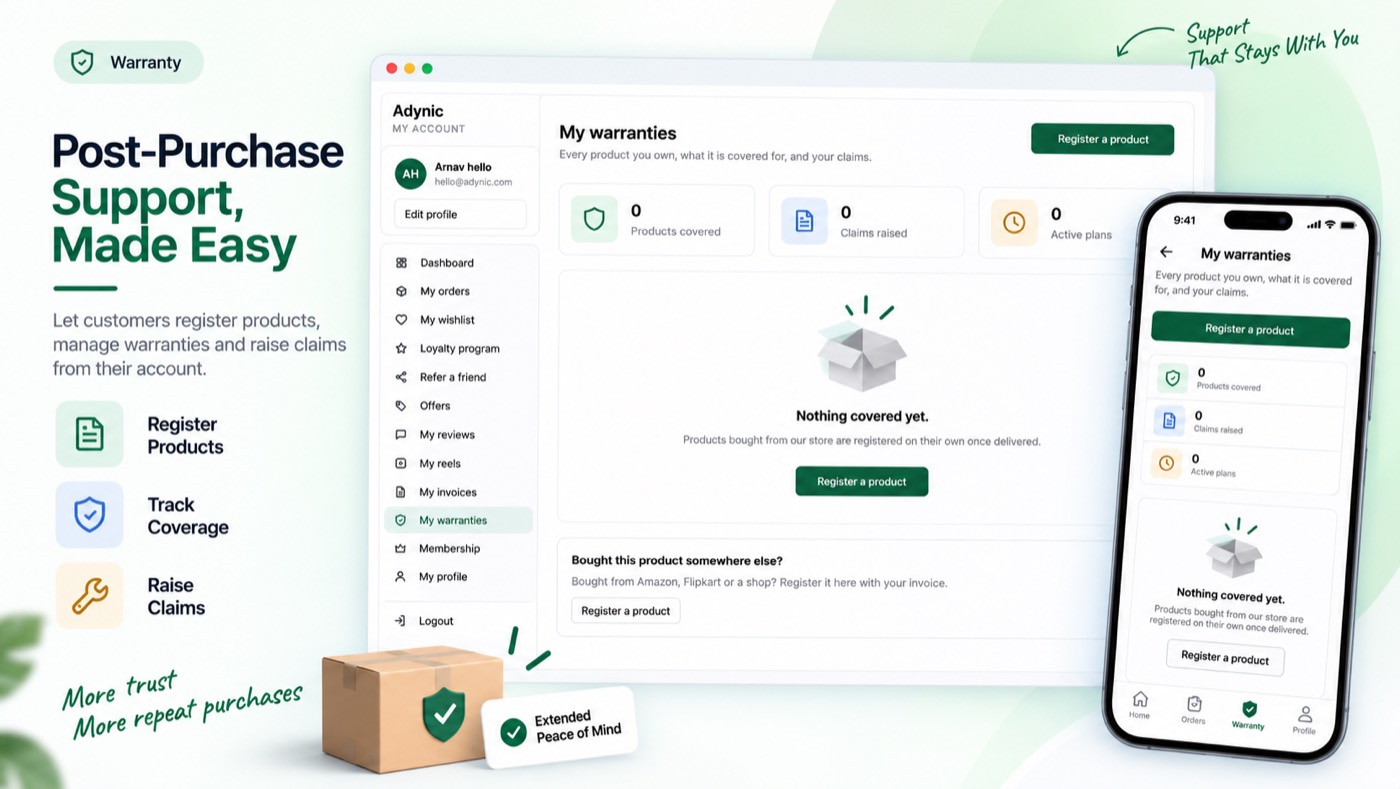
Warranty plans per product, automatic registration on delivery, marketplace registrations with proof, claims with repair, replacement, service-centre and home-visit flows, extended warranties sold from the customer's account.
Switching it on
- Switch the module on with the toggle at the top of this page.
- Open Plans and create a plan: how long it lasts and what it covers.
- Open Settings to choose how a customer registers and what a claim may ask for.
- Open Service centres if repairs go somewhere other than you.
It is live when: The module is on and at least one warranty plan exists.
What your customer sees
A "My warranties" tab in their account on your own domain, in your branding — no second login, no app that looks like somebody else's.
Everything on the storefront is a theme block or the app embed, so there is no theme code to edit and nothing to undo if you switch the module off.
Questions merchants ask
How do I offer a warranty?
Switch Warranty on and create a plan: how long it lasts and what it covers. Attach it to products or a collection; buyers are registered automatically on delivery.
How does a claim work?
The customer raises it from My warranties with proof. You move it along — approve, ask for more, repair, replace or refund — and each step emails them.
Can I track serial numbers?
Yes, under Serial numbers. A claim can be tied to the serial, so you know exactly which unit came back.
Works with
Every module shares the same customer, so these need no setting up twice.