B2B GST invoices on Shopify: get the buyer's GSTIN on every bill
A business buyer needs their GSTIN on your invoice to claim input tax credit. Where to collect it on a Shopify store, how to check it, and where B2B invoices go in your return.
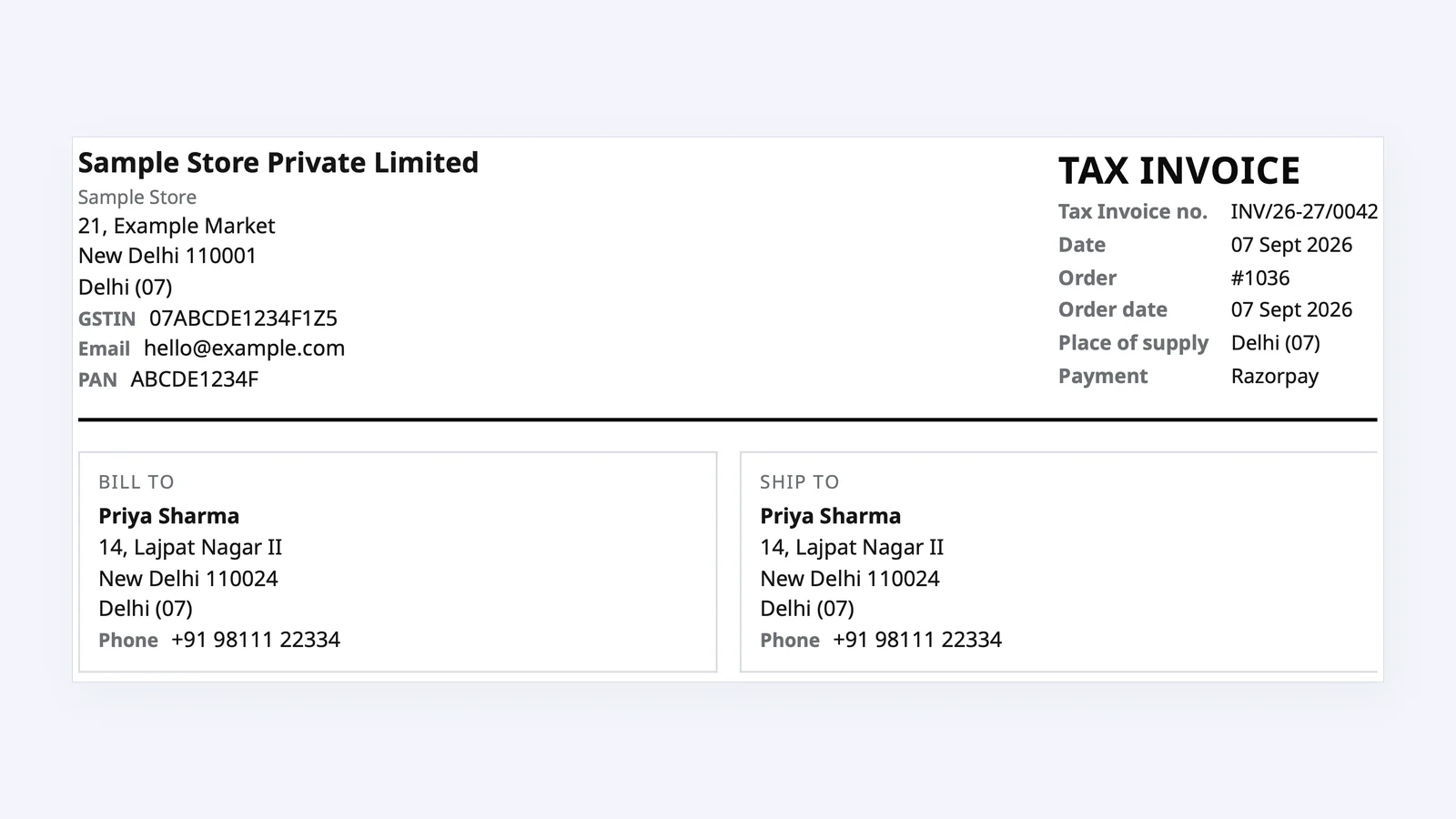
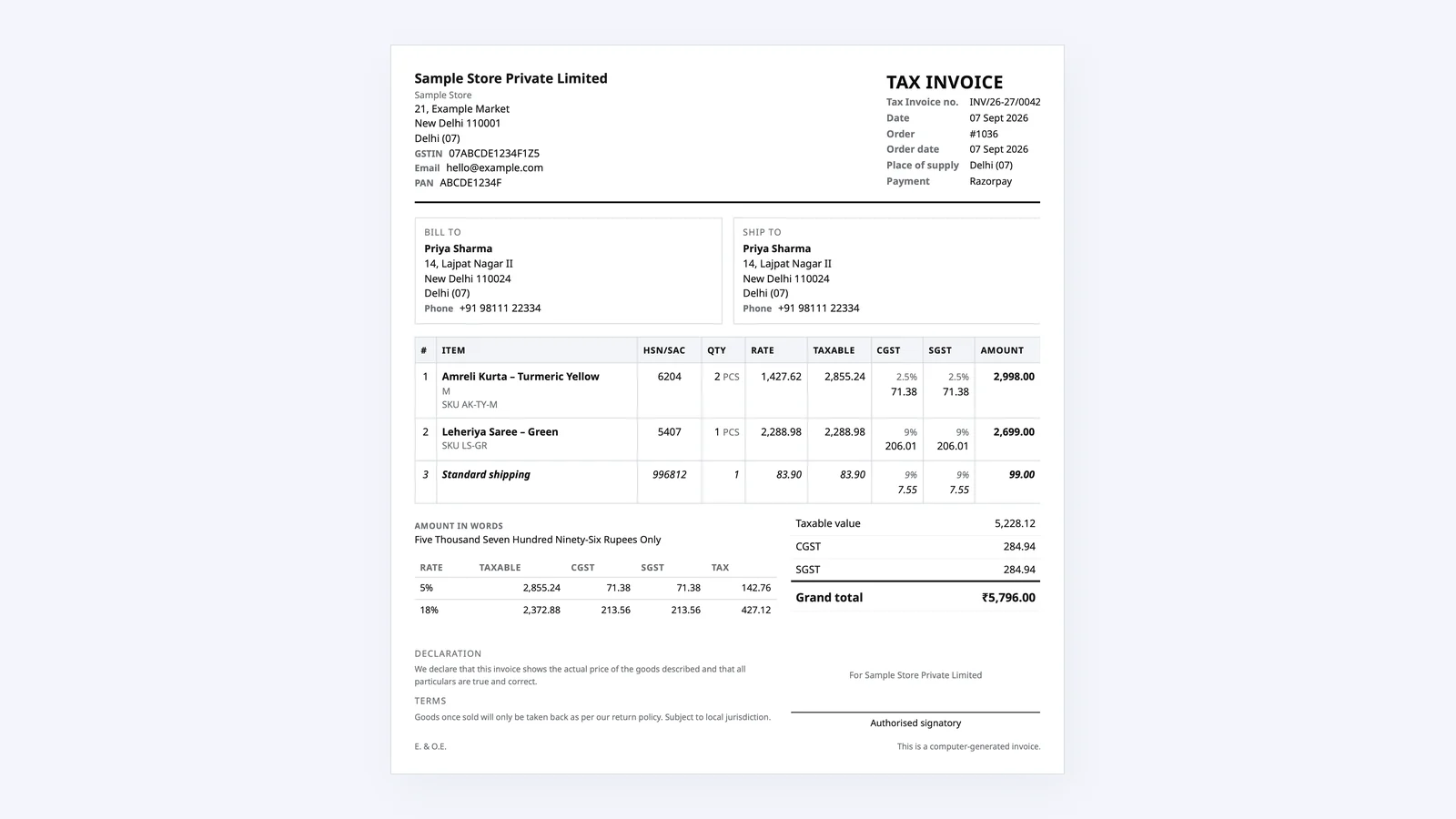
Sooner or later a boutique, a salon or an office orders from your Shopify store and asks for a B2B GST invoice with their GSTIN on it. Without that number they cannot claim the GST back as input tax credit, and a business buyer who cannot claim it often does not order again. Shopify's order confirmation is not a GST invoice and has nowhere to print a GSTIN, so the number has to be collected and carried onto a proper invoice.
Note: This is a practical guide, not tax advice. Confirm what applies to your business with your chartered accountant.
What makes a Shopify GST invoice B2B
An invoice is B2B when the buyer is registered for GST and their GSTIN is on it. That one number changes three things:
Input tax credit. The buyer can claim the GST they paid you, provided the invoice appears in your GSTR-1 and so in their GSTR-2B.
Your return. B2B invoices are reported one by one against the buyer's GSTIN in GSTR-1, not as totals like most consumer sales.
E-invoicing. Above ₹5 crore of turnover, B2B invoices need an IRN and a QR code from the e-invoice system.
Everything else works as on any other invoice. HSN codes are covered in HSN codes on Shopify invoices, and the tax split in CGST and SGST or IGST: how a Shopify order gets the right GST.
What a B2B invoice must show
On top of what every tax invoice carries, an invoice to a registered business needs:
The buyer's name and their GSTIN.
The billing address, with its state.
The place of supply, as a state name and code.
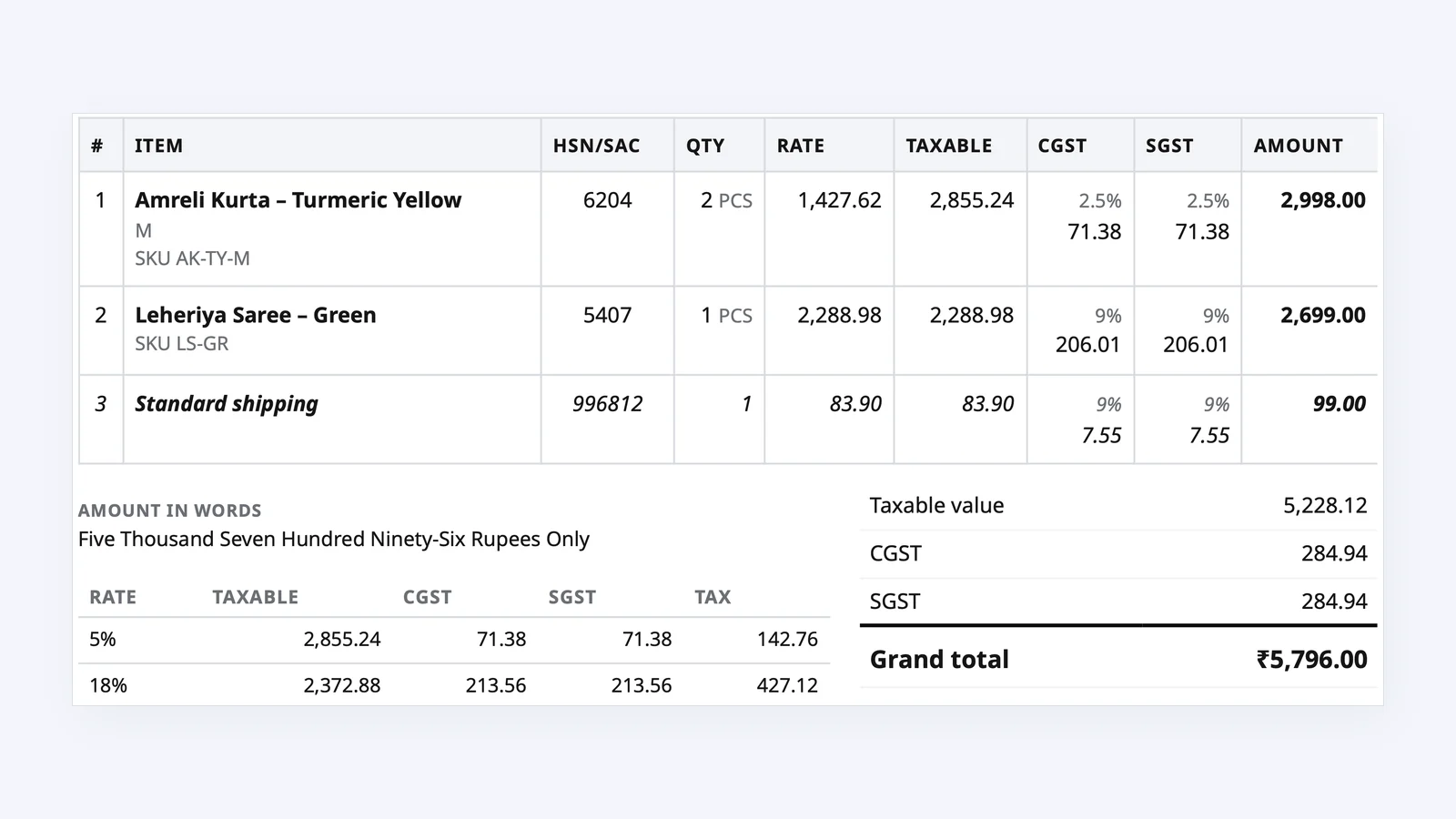
An HSN code on every line: at least 4 digits on B2B invoices if your turnover is up to ₹5 crore, and 6 above it.
Where to collect the buyer's GSTIN on a Shopify store
There are three practical places to ask for it, and All iDesk uses all three:
In the cart. A box where the buyer types their GSTIN and company name before going to checkout. All iDesk adds it through its app embed, on by default, and the number travels with the order.
In the customer account. A business that buys often saves its GSTIN once on the Invoices page of its account, and later invoices carry it.
On the order itself. If your checkout or a form already writes the number to the order as an attribute named "gstin", All iDesk reads it from there.
Consumers simply leave the box empty, and their orders get an ordinary B2C invoice. One store serves both.
Checking the GSTIN before it goes on the invoice
A GSTIN has 15 characters with a fixed shape: two digits for the state, the business's ten-character PAN, one character for the registration number under that PAN, then usually "Z", and a final check character worked out from the other fourteen.
All iDesk checks the shape, the state code and the check character. A number that fails is left off the invoice and the invoice carries a warning, rather than printing a GSTIN the buyer cannot claim against. It does not look the number up on the GST portal, so the business name printed is the one the buyer typed; for a large order, it is worth a glance.
B2B invoices in your GST return
Every invoice with a valid GSTIN goes into the B2B table of your GSTR-1, and credit notes against those invoices go into the CDNR table. Consumer sales go into B2CS, or B2CL for an inter-state invoice above ₹1 lakh.
All iDesk builds these tables each month and exports them as JSON for the GST offline tool or as CSV, along with the HSN summary, so a B2B invoice that went out in the morning is already in the right table when you file.
E-invoicing for B2B orders
A business whose aggregate turnover has crossed ₹5 crore in any financial year since 2017–18 has to e-invoice its B2B sales and exports: each invoice is registered on the e-invoice system and gets an IRN and a signed QR code.
All iDesk has an e-invoicing setting that sends B2B, export and SEZ invoices to the e-invoice system with your own API credentials. It is off by default; try it against your provider's sandbox before switching it on for real orders.
Common questions
Can businesses and consumers buy from the same store?
Yes. The GSTIN box is optional. An order with a valid GSTIN gets a B2B invoice; an order without one gets a B2C invoice.
What if the buyer types a wrong GSTIN?
All iDesk leaves it off and marks the invoice with a warning, so the number can be checked with the buyer and corrected before you file.
Does the buyer have to type their GSTIN on every order?
No. A GSTIN saved on the Invoices page of their customer account is used on later orders.
Is the buyer's name taken from the GST portal?
No. The name is the one the buyer typed. All iDesk checks that the GSTIN is well formed, not who it belongs to.
B2B invoices without the back-and-forth. A GSTIN box in the cart, saved GSTINs in the account, checked numbers and a ready GSTR-1 B2B table. See the GST module →
Put this to work on your store
All iDesk brings sign-in, loyalty, returns and GST invoices into one Shopify app, on any theme.