GST invoices on Shopify: what every Indian store needs to include
Shopify's order confirmation is not a tax invoice. This checklist covers what a proper GST invoice on Shopify needs, how tax splits between states, and how to stop making invoices by hand.
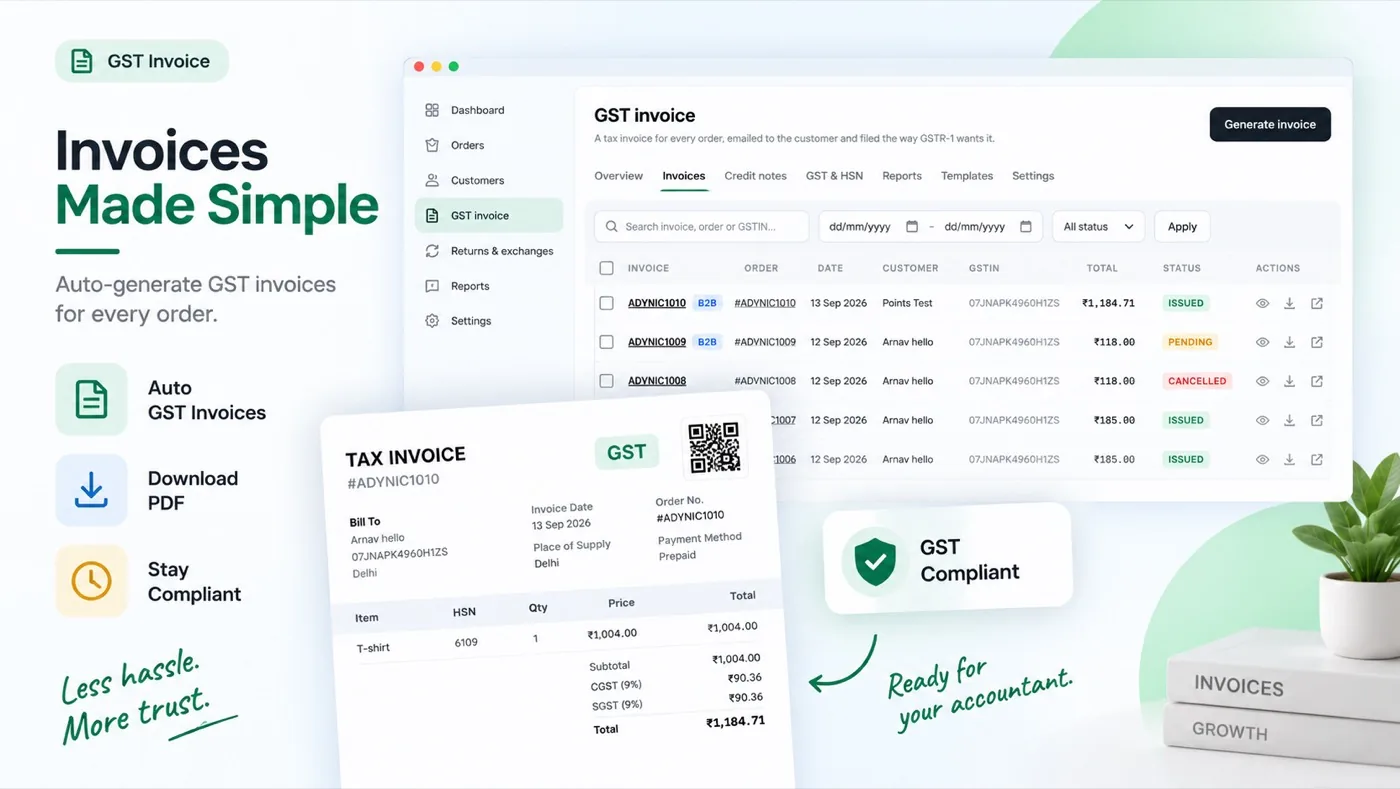
Shopify sends every customer an order confirmation, and many new Indian stores assume that is their invoice. It is not. A GST invoice on Shopify has to carry details an order email never shows: your GSTIN, a proper invoice number, HSN codes and the tax split between CGST, SGST and IGST.
This guide walks through what the invoice must include, how to decide which tax applies, and how to have invoices issued on every order automatically with AlliDesk's GST invoice module.
Note: This is a practical guide, not tax advice. GST rules and thresholds change; confirm what applies to your business with your chartered accountant.
What a GST invoice must include
A tax invoice for goods generally needs the following. If any of these are missing, your buyer may not be able to claim input tax credit, and your own records will not match your returns.
Your legal name, address and GSTIN.
A unique invoice number, in a consecutive series for the financial year (letters, numbers, hyphens and slashes, up to 16 characters).
The invoice date.
The buyer's name and address, and their GSTIN when they are a registered business.
The place of supply with the state name, which decides the tax type.
For every item: a description, HSN code, quantity, taxable value and tax rate.
The tax amounts, split into CGST and SGST, or shown as IGST.
A signature or digital signature of the supplier.
CGST and SGST, or IGST: which applies
The rule depends on where the goods go compared with where you ship from:
Same state (you ship from Delhi to a buyer in Delhi): the tax is split in half, CGST + SGST. At 18%, that is 9% + 9%.
Different state (you ship from Delhi to a buyer in Maharashtra): the whole tax is IGST, 18% in the same example.
If you ship from warehouses in more than one state, each warehouse's state and GSTIN matter: the invoice should come from the GSTIN of the state the order ships from. AlliDesk lets you add a second GSTIN for exactly this.
HSN codes and rates
An HSN code classifies what you sell, and the rate follows from it: apparel, footwear and cosmetics can each sit at different rates. The number of HSN digits you must show depends on your turnover, so check the current requirement with your accountant.
In practice most stores sell a handful of product types. Set a default HSN and rate for the store, then override it only on the products that differ, rather than filling in every product by hand.
Returns and refunds need credit notes
When an order is returned or refunded after the invoice was issued, you do not edit or delete the invoice. You issue a credit note against it, which reduces the tax you owe for that sale. Credit notes should carry their own numbering series and point back to the original invoice.
Issuing GST invoices on Shopify automatically
Making invoices by hand in a spreadsheet works for ten orders a month and falls apart at a hundred. With AlliDesk, the setup is short:
Add your company details and GSTIN under Settings → Company. Add a second GSTIN if you ship from another state.
Set a default HSN code and rate, and override the products that differ under GST & HSN.
Choose when an invoice is issued: as soon as the order is placed, or once it is paid, which makes cash-on-delivery orders wait for the paid mark.
Pick a template and check an invoice on a test order.
From then on every order gets its invoice with the right tax split, the customer receives it by email as a PDF and can download it from their account, refunds and returns can raise credit notes, and the GSTR-1 and GSTR-3B reports are built from the same numbers. Business buyers can enter their GSTIN in the cart so it appears on their invoice.
Common questions
Is Shopify's order confirmation a GST invoice?
No. It does not carry a GSTIN, an invoice number series, HSN codes or the tax split, so it cannot be used as a tax invoice.
Do I need the buyer's GSTIN on every invoice?
Only when the buyer is a registered business that wants to claim input tax credit. Consumers do not have one, and the invoice is still valid without it.
What happens to the invoice when an order is refunded?
The invoice stays as it was, and a credit note is issued against it for the refunded amount.
Stop making GST invoices by hand Tax invoices, credit notes and GSTR reports from every Shopify order, with your GSTIN and HSN codes. See the GST module →
Put this to work on your store
AlliDesk brings sign-in, loyalty, returns and GST invoices into one Shopify app, on any theme.