Shopify returns and exchanges without the email back-and-forth
Most return requests start as an email and end as a spreadsheet. Here is how to run Shopify returns and exchanges from the customer's account, with pickups, refunds and exchanges handled in one place.
On most small Shopify stores a return or exchange starts as an email: a photo, an order number typed wrong, a question about the policy, and three messages later a courier pickup booked by hand. Multiply that by a busy sale and returns take over the week.
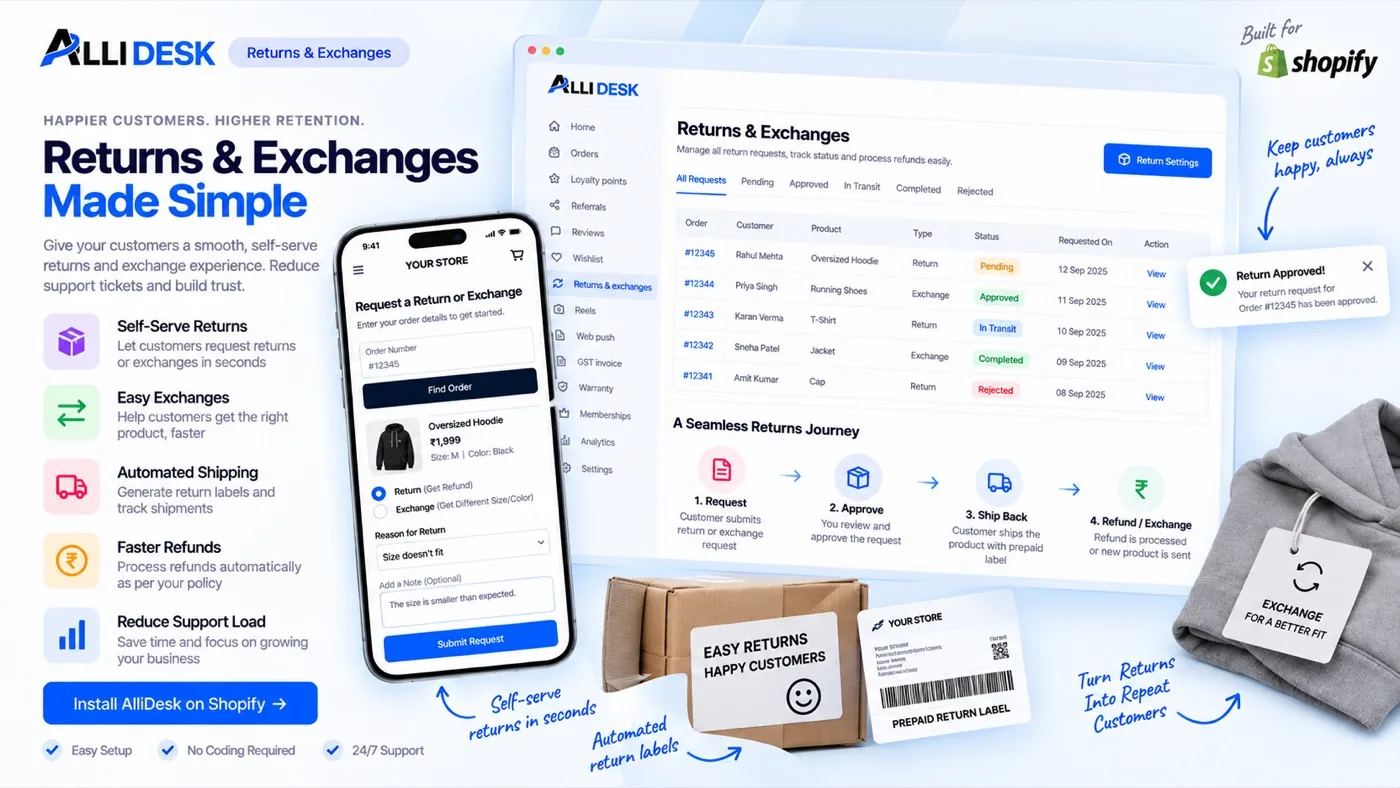
A good process for Shopify returns and exchanges moves all of that into the customer's account, where the policy decides what is allowed and you only approve. This guide covers the policy to write first, how requests should flow, and how refunds and exchanges are settled, using AlliDesk's returns module.
Write the policy before the first request
Every decision you would otherwise make by email can be a setting. For each kind of request, return, exchange or replacement, decide:
The window: how many days after delivery a request can be raised.
What is eligible: every product, only full-price items, or everything except products tagged final sale or clearance.
A fee, if you charge one: a flat amount or a percentage, per request or per item.
Photos: whether the customer must add pictures, which saves a round of questions on damaged items.
Refund methods: back to the original payment, store credit, or both.
Tip: Offer store credit alongside a refund. Many customers are happy to take credit, and the money stays with your store.
How Shopify returns and exchanges should flow
The customer opens the order in their account and chooses return, exchange or replacement. Only items inside the window and the policy can be picked.
They choose a reason, add photos if you ask for them, and for an exchange pick the size or variant they want instead.
You approve or decline from the dashboard, with the order, reason and photos in one view.
A reverse pickup is booked through your courier account, and the tracking number is stored on the request.
Once the item is back, the request is settled: a refund, store credit, or the replacement sent as a new order.
Pickups through your own courier
Connect your Shiprocket, Delhivery or iThink Logistics account under Settings → Integrations, and assign it to a location. On an approved request, Book pickup creates the reverse pickup and saves the AWB. If you use a courier without an integration, enter the AWB by hand and the customer still sees it.
Requests open once an order is delivered. Plenty of couriers never report delivery back to Shopify, so an order can be marked delivered from its page in AlliDesk when you know it arrived.
Refunds that match how the customer paid
Prepaid orders are refunded through Shopify to the original payment method, or as store credit if the customer chooses it.
Cash-on-delivery orders have nothing to refund to online, so the refund goes by bank transfer to the details the customer enters, or as store credit.
Exchanges skip the refund altogether: the new size or variant goes out as a new order.
Common questions
Can customers raise a return without emailing me?
Yes. They raise it from the order in their account, inside the window and rules you set, and you approve it from the dashboard.
How are exchanges different from returns?
An exchange sends a different size or variant instead of money back. It is approved the same way, and the replacement goes out as a new order.
How do I refund a cash-on-delivery order?
By bank transfer to the account details the customer enters with the request, or as store credit.
Take returns out of your inbox Return and exchange requests, reverse pickups and refunds, handled from the customer's account. Install AlliDesk →
Put this to work on your store
AlliDesk brings sign-in, loyalty, returns and GST invoices into one Shopify app, on any theme.